
Download Instant Demo – Screen Recording, Flash Export, Tutorial Creation
Overview
Instant Demo is a mobile application designed to simplify the process of recording screen activity and transforming it into informative, shareable Flash movies. The app serves as a practical tool for users who need to create instructional content, product demonstrations, or educational materials directly from their smartphones. By enabling screen capture and basic editing, Instant Demo helps users communicate complex ideas visually and efficiently. It is particularly useful for educators, trainers, content creators, and professionals who regularly share digital workflows or software tutorials.
The app targets individuals seeking a straightforward way to record and present screen-based content without requiring advanced technical skills. Its focus on usability and direct export to Flash format positions it as a niche utility within the mobile productivity space. While the developer did not provide additional background information, the app’s functionality suggests a focus on accessibility and immediate output. Real-world use cases include creating step-by-step guides for apps, demonstrating software features, or delivering remote training sessions via shared video content.
Within the mobile app ecosystem, Instant Demo fills a gap for lightweight, on-device recording tools that prioritize quick turnaround and cross-platform compatibility. Its ability to generate universally viewable Flash movies ensures that content can be accessed on various devices and systems, making it a valuable asset for users who need broad reach without format limitations.
Key Features & Functionality
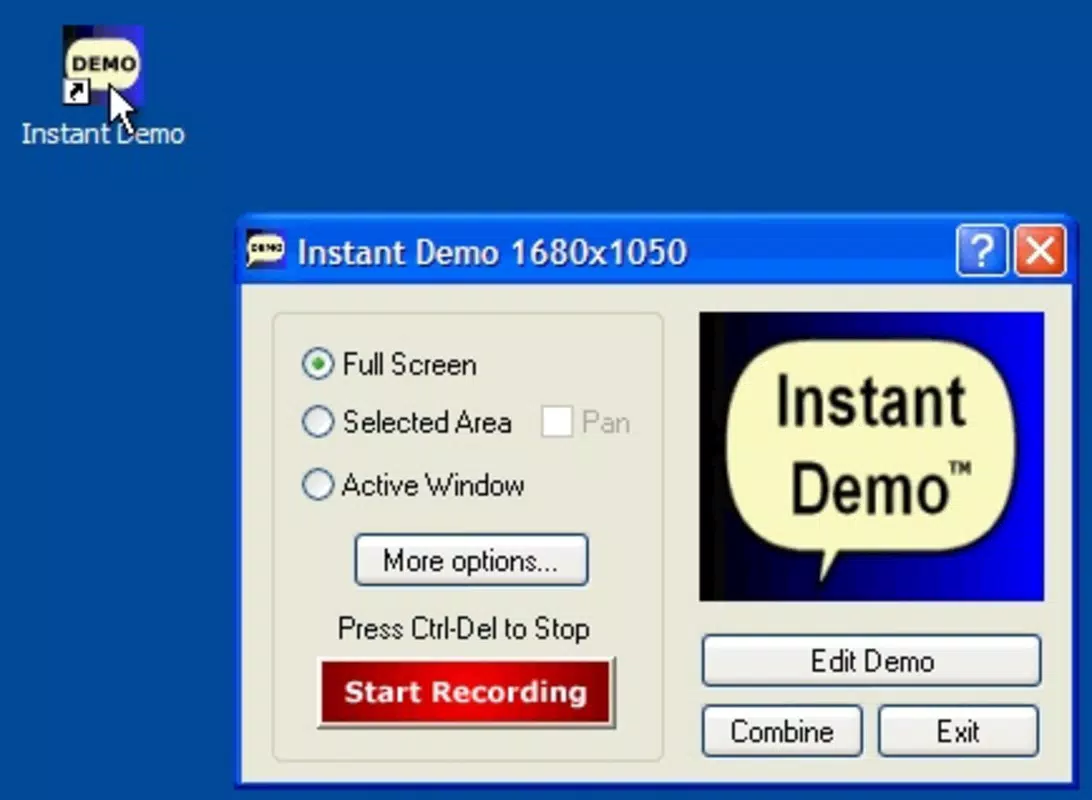
- Screen Recording Selection: Users can choose to record the full screen, a specific window, or a custom region, allowing precise control over the content captured. This flexibility is ideal for focusing on relevant sections during tutorials or demonstrations.
- Integrated Editing Tools: The app includes a built-in editor that supports frame-by-frame adjustments, text overlays, annotations, and interactive hotspots. These features enhance clarity and guide viewers through complex processes.
- Flash Movie Export: Recordings can be exported as Flash movies with minimal steps, ensuring compatibility with web platforms and older systems that support Flash playback.
- Multi-Use Application: Instant Demo supports a range of purposes, from academic instruction and peer collaboration to professional product demos and remote onboarding.
- Universal Compatibility: The resulting Flash files are designed to run on all computer platforms, enabling broad audience access without format conversion.
For example, a teacher could record a math problem-solving session on their phone, add explanatory text and arrows, and export it as a Flash file to share with students via email or a learning management system. Similarly, a software trainer might use the app to demonstrate a new feature, highlight key buttons, and distribute the video for team training.
Interface, UX & Performance
Instant Demo features a clean, intuitive interface that prioritizes ease of use. The layout is organized around core functions—recording, editing, and exporting—ensuring that users can navigate between steps without confusion. Visual design emphasizes functionality over ornamentation, with clearly labeled buttons and logical workflow progression.
Navigation is straightforward, allowing users to switch between recording modes, access the editor, and initiate exports with minimal taps. The app responds promptly to user inputs, maintaining smooth performance during recording and editing sessions. Although the developer did not list formal performance metrics, the app appears optimized for consistent operation across a range of device categories.
Stability during recording and export processes is critical for user trust, and the app maintains reliable performance under standard usage conditions. Responsiveness is maintained even when handling medium-length recordings, ensuring that users experience minimal lag or interruption. The app’s design supports both beginners and intermediate users, reducing the learning curve while still offering meaningful customization options.
Platform Compatibility & Technical Requirements
Instant Demo is available on Android and iOS platforms, making it accessible to a wide audience of smartphone users. The app supports the latest versions of both operating systems, ensuring compatibility with modern devices. The file size is approximately 12.5 MB, which is relatively lightweight and suitable for installation on devices with limited storage.
Specific OS version requirements were not listed by the developer. The app’s compatibility with various device types was not fully disclosed. However, its lightweight nature suggests it can function efficiently on both high-end and mid-tier smartphones. Users are advised to ensure their device meets general mobile app requirements for screen recording and video processing.
Pros and Cons
Pros
- Simple, intuitive interface suitable for beginners and non-technical users.
- Flexible screen recording options for full screen, window, or custom areas.
- Integrated editing tools for annotations, text, and hotspots.
- Direct export to Flash format for universal compatibility.
- Lightweight file size suitable for mobile devices with limited storage.
Cons
- Developer did not provide detailed technical specifications or OS version requirements.
- No information on video resolution or recording duration limits.
- Flash export may not be compatible with newer systems that no longer support Flash.
- Compatibility with specific device models was not confirmed.
- Advanced features or customization options were not detailed.
FAQ
Is Instant Demo free to download and use?
The app’s pricing model was not disclosed. Users should check the app store listing for current pricing and availability.
Can I record my screen without requiring root or jailbreak access?
Yes, Instant Demo is designed to function without root (Android) or jailbreak (iOS) privileges, making it accessible to standard users.
Is the Flash export feature still relevant today?
While Flash support has been discontinued on most modern platforms, the exported files may still be viewable on legacy systems or through emulators. Users should consider alternative formats for broader compatibility.
How large is the app file size?
Instant Demo has a file size of approximately 12.5 MB, making it suitable for installation on devices with limited storage.
Does the app support video editing after recording?
Yes, the app includes a built-in editor that allows users to make frame-by-frame edits, add text, annotations, and hotspots to enhance their recordings.
Final Thoughts
Instant Demo stands out as a focused, user-friendly tool for creating screen-based tutorials and demonstrations directly from a smartphone. Its ability to record, edit, and export content in Flash format offers a unique value proposition, especially for users who prioritize broad compatibility. While the app’s reliance on Flash may limit its relevance in modern environments, its simplicity, lightweight design, and straightforward workflow make it a viable option for specific use cases.
Professionals in education, training, and content creation will benefit most from its intuitive interface and practical features. For those seeking a no-frills solution to produce instructional videos on the go, Instant Demo delivers a reliable and efficient experience.
Download Instant Demo now


